
To add a matching section to your worksheet, follow these steps:
In the Add dropdown at the bottom of the create panel, select Matching and click the green + button.
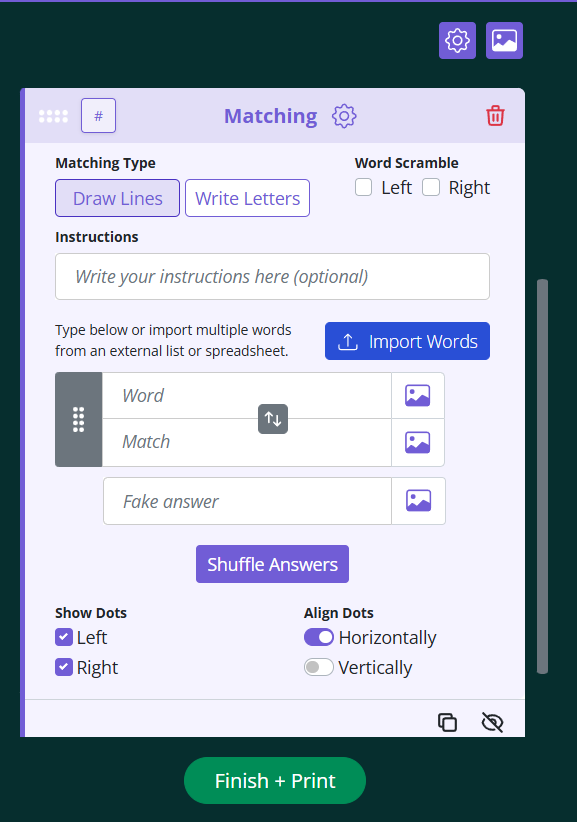
Choose your Matching Type:
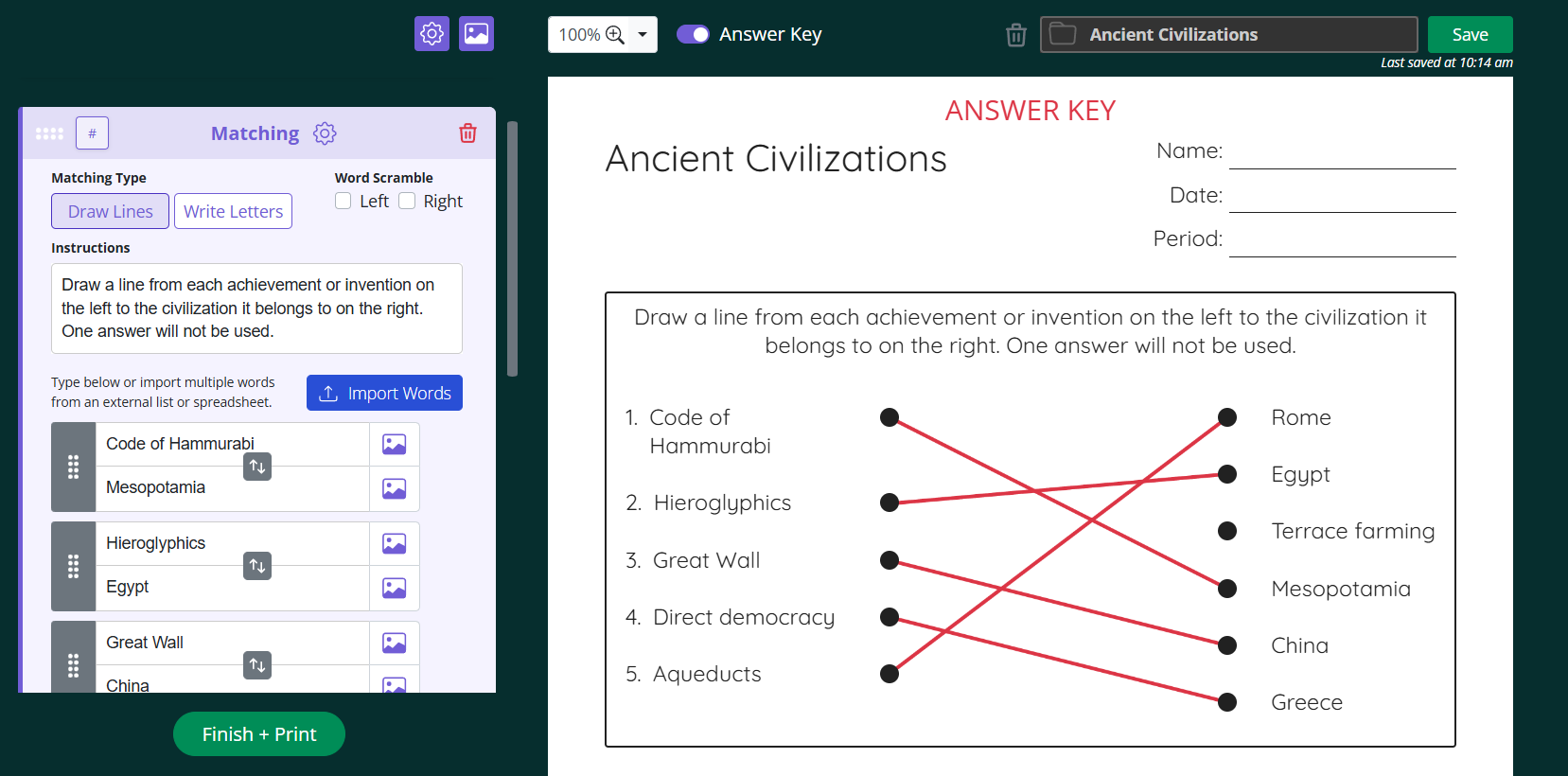
Draw Lines lets students connect each word to its match by drawing a line.
Write Letters gives each answer a letter (A, B, C) so students write the correct letter next to each word.
Add optional Instructions to tell students how to complete the section.
Enter your pairs in the Word and Match boxes. A new pair appears as soon as you fill in the current one, so you can add as many as you need.
To use images instead of text, click the image icon next to any Word or Match box. You can choose from the image library or upload your own file.
Add a Fake answer if you want to include a distractor that doesn't match any of the words. This makes the section more challenging.
Click Shuffle Answers to randomize the order of the answer column so the matches aren't lined up with their pairs.
Formatting your matching section
Show Dots controls whether dots appear on the left, right, or both sides for students to draw their lines to.
Align Dots sets whether the dots line up horizontally or vertically.
Word Scramble scrambles the letters of the words in the left column, the right column, or both, adding an extra layer of difficulty.
Working with a longer word list? Click Import Words to paste or upload your list instead of typing each pair individually.