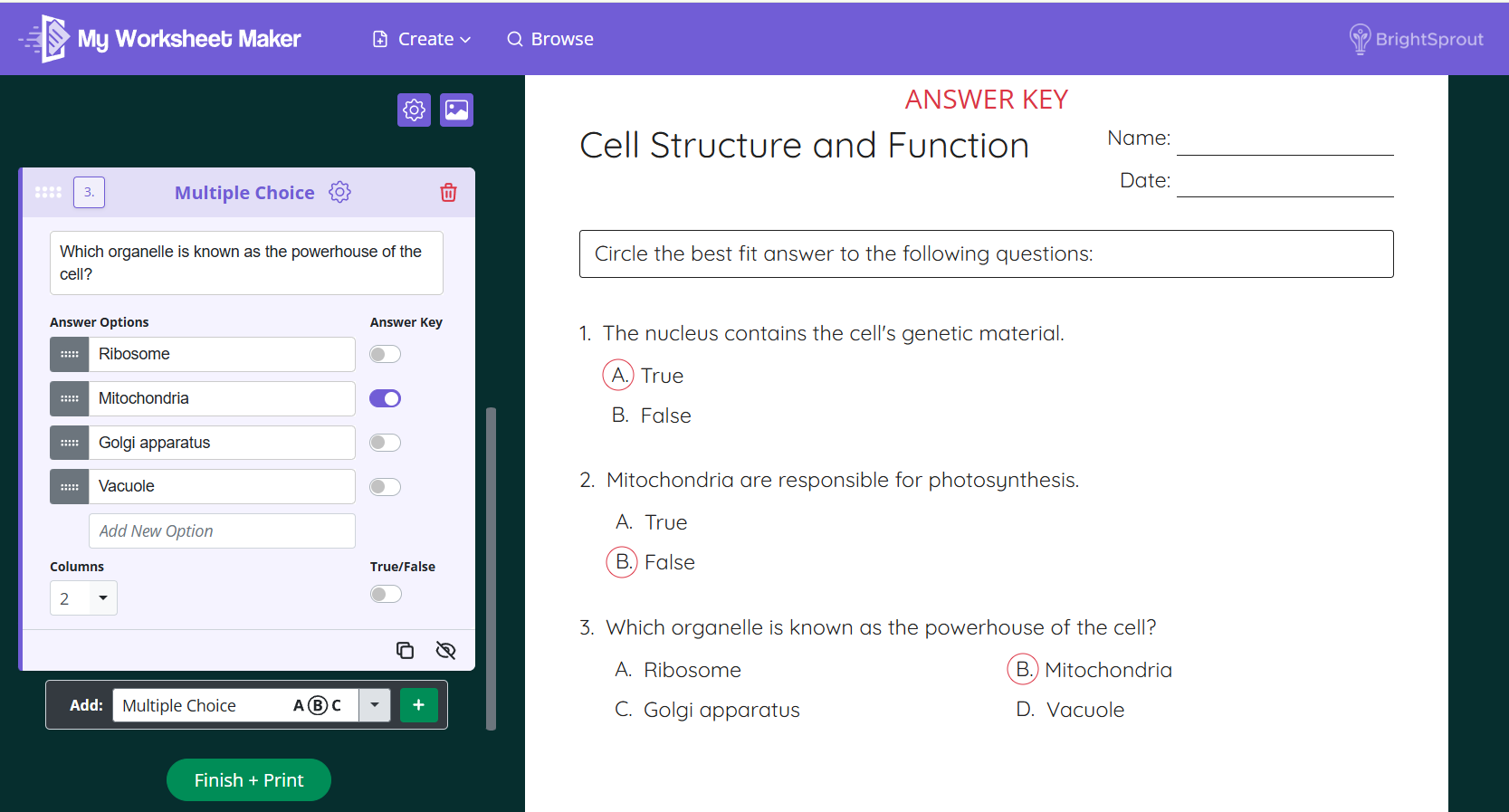

To add a multiple choice question to your worksheet, follow these steps:
In the Add dropdown at the bottom of the create panel, select Multiple Choice and click the green + button.
Type your question into the question box.
Fill in your answer options under Answer Options. Click Add New Option to add as many choices as you'd like.
Under Answer Key, toggle on the correct answer. It will appear circled on the answer key version of your worksheet.
Use the Columns dropdown to choose how your answer options are laid out on the page. For example, select 2 to display your options in two columns side by side.