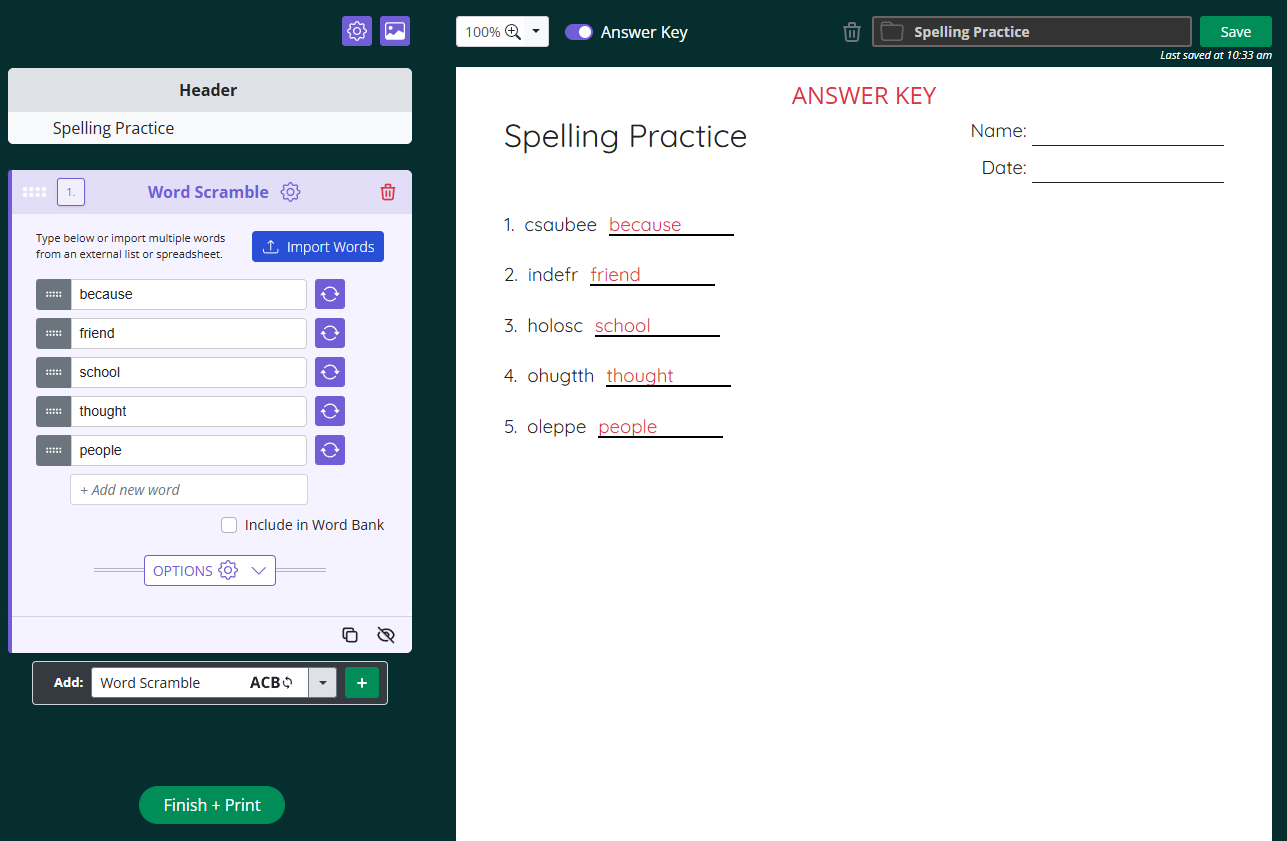

To add a word scramble section to your worksheet, follow these steps:
In the Add dropdown at the bottom of the create panel, select Word Scramble and click the green + button.
Type your first word into the Enter your word box. A new box appears as soon as you fill in the current one, so you can keep adding as many words as you need.
Check Include in Word Bank if you want the unscrambled words listed on the worksheet as a reference for students.
Settings
Answer Type controls how students write their answers. Choose between Line for a blank line, blank for a blank space after the word scramble, or multiple choice to add multiple choice answer options.
Text Case sets whether your scrambled words appear in lowercase, uppercase, or as entered.
Format
Columns sets how many columns your scrambled words are laid out in.
Order Numbers By controls whether numbering runs down each column or across each row.
Line Length adjusts how long the answer line is. Drag the slider to increase or decrease it.
Line Position sets whether the answer line appears After the scrambled word or Underneath it.
Working with a longer word list? Click Import Words to paste or upload your list instead of typing each word individually.