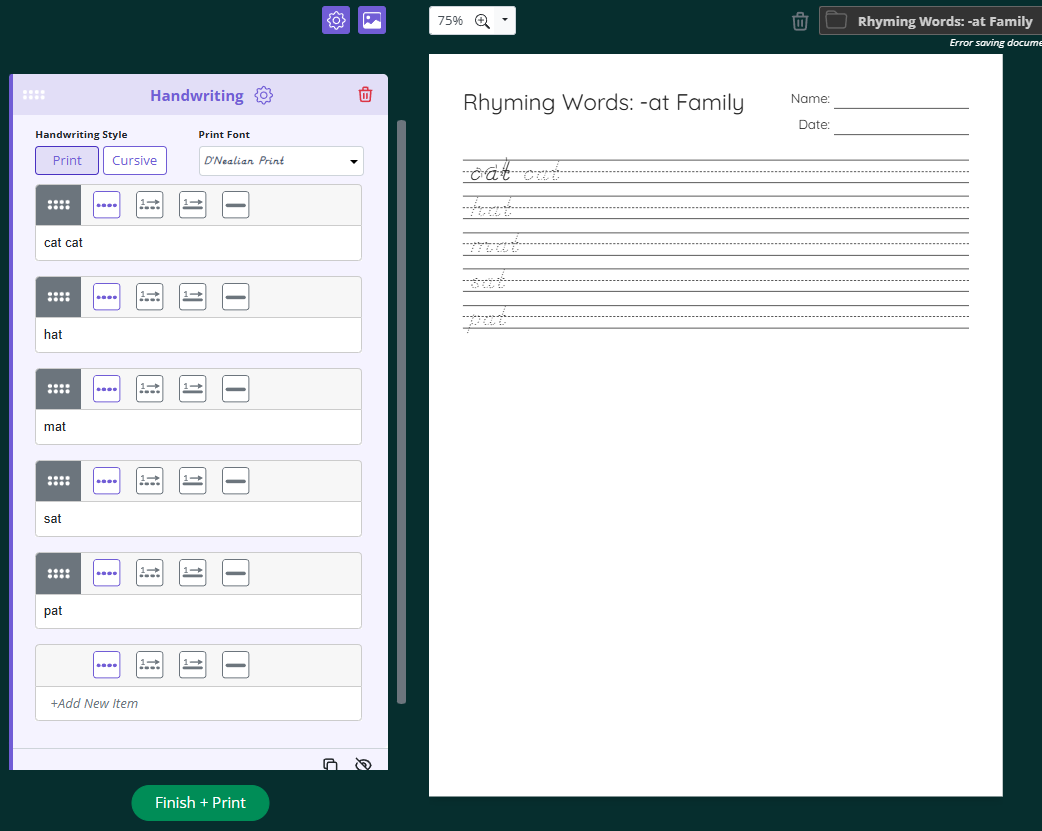

To add a handwriting section to your worksheet, follow these steps:
In the Add dropdown at the bottom of the create panel, select Handwriting and click the green + button.
Choose your Handwriting Style: Print or Cursive.
Select your Print Font from the dropdown. Options include D'Nealian Print, Classic Print, Basic Print, and other font styles.
Type the letters or words you want students to practice into the Letters or words to copy box. This field is optional, so you can also leave it blank to create practice lines without a set word.
Use the row of icons above the text box to choose how each line appears, such as dotted tracing letters, letters with directional stroke arrows, or a solid line.
Click +Add New Item to add another line or word to the section, then set its style using that row's icons.